
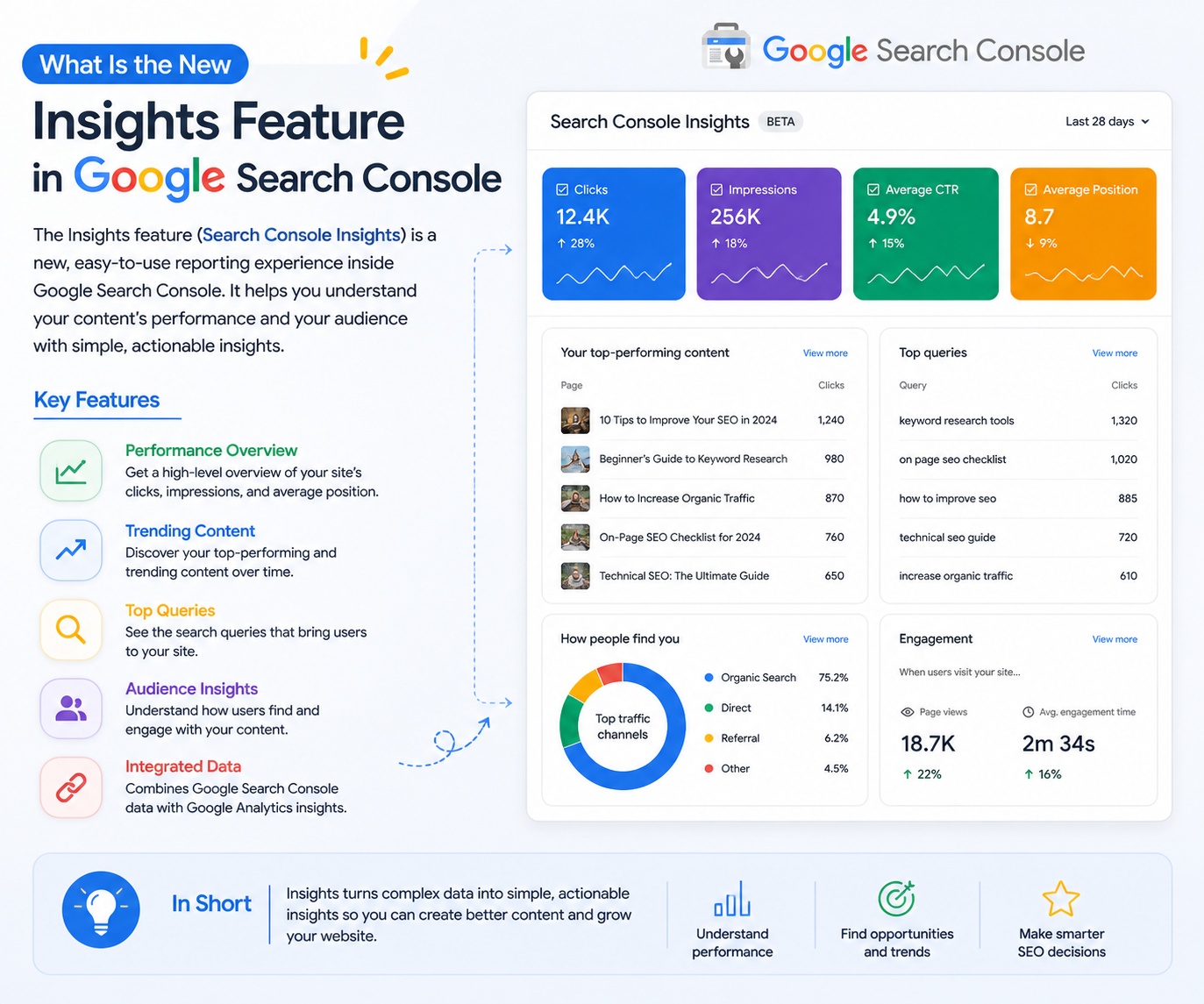
The Insights feature in Google Search Console is designed to simplify SEO data and make it more actionable for users at all levels. Instead of overwhelming you with complex reports and technical metrics, it presents key performance trends in a clear and digestible format. This allows bloggers, marketers, and website owners to quickly understand what content is performing well, what needs improvement, and where new growth opportunities lie. By focusing on real user behavior and content performance, Insights turns raw data into meaningful direction for building a stronger SEO strategy.
What Is the Insights Feature in Google Search Console?
A Simplified View of Website Performance
The Insights feature provides a high-level snapshot of how your website content performs in search results. It highlights essential metrics such as clicks, impressions, and top-performing pages without requiring deep technical expertise. This makes it ideal for beginners while still offering valuable quick insights for experienced SEO professionals who want an overview without diving into detailed reports.
Focus on Content and Audience Behavior
Unlike traditional reports, Insights places a strong emphasis on how users interact with your content. It reveals which pages are gaining attention, what search queries are driving traffic, and how performance evolves over time. This helps you better understand your audience’s interests and tailor your content strategy to match their search intent and expectations.
Key Benefits of Using Google Search Console Insights
Identifying Top-Performing Content
One of the most powerful aspects of Insights is its ability to highlight your best-performing content. By understanding which pages attract the most traffic, you can replicate successful patterns and create similar content that resonates with your audience, ultimately boosting your overall SEO performance.
Discovering New Content Opportunities
Insights also uncovers emerging trends by showing which queries and pages are gaining traction. These insights can guide your content creation process and help you stay ahead of competitors. For instance, if you notice increasing searches related to a Digital Marketing Course, you can create targeted blog content around that topic to capture more traffic and meet user demand effectively.
Detecting Content Decay Early
Content performance can decline over time due to outdated information or rising competition. Insights makes it easier to identify such drops early by tracking changes in visibility and engagement. This allows you to update, optimize, and refresh content before it significantly impacts your rankings and traffic.
How to Use Google Search Console Insights for SEO Growth
Turn Data into Content Strategy
The true value of Insights lies in converting data into action. When you identify high-performing pages, you can expand on those topics, create related articles, and build strong internal linking structures. This approach strengthens your website’s authority and improves its visibility in search results over time.
Optimize Existing Content
When a page starts gaining traction, it presents an opportunity for further optimization. You can refine keyword usage, update information, and improve readability to maximize its performance. Likewise, underperforming pages can be refreshed with updated content and better SEO practices to regain visibility.
Align Content with Search Intent
Insights helps you understand what users are searching for and how they engage with your website. By aligning your content with user intent, you can create more relevant and valuable articles that not only rank higher but also keep visitors engaged.
Best Practices for Maximizing Insights Data
Regular Monitoring and Analysis
To fully benefit from Insights, it is important to review the data consistently. Search trends and user behavior can change rapidly, and staying updated allows you to adapt your strategy proactively rather than reacting too late.
Combining Insights with Other Tools
While Insights offers a simplified view of performance, combining it with tools like Google Analytics provides a more comprehensive understanding of user behavior. This combination enables better decision-making and helps refine your overall SEO and content strategy.
Conclusion
The Insights feature in Google Search Console is more than just a reporting tool; it is a strategic asset for SEO growth. By presenting data in a clear and actionable way, it helps you focus on content that drives real results. Whether you are identifying high-performing pages, exploring new opportunities, or optimizing existing content, Insights provides the guidance needed to grow sustainably. When used consistently, it empowers you to build a data-driven website that adapts to changing search trends and continues to perform effectively over time